
Time and Attendance module
Summary
This document outlines a proposal for the Time and Attendance module, focusing on efficient workforce management through the integration of advanced features and automated processes. The proposal highlights key functionalities, planned capabilities, and anticipated implementation workflows. The module aims to provide tools for real-time attendance monitoring, workflow automation, and the generation of detailed reports. It is designed to simplify operational processes, enhance data traceability, and support decision-making based on accurate and up-to-date information.
This document is sectioned into two parts. First part is outlining the key features. The second one is a detailed specification that aims to match the requirements as close as possible.
General Requirements
Key Features:
Reliable Tracking: Record clock-ins and clock-outs using biometrics or RFID in the work-cell, cost center, or other areas.
Real-Time Monitoring: Display attendance status (present, absent, late) on dashboards.
Operator Absence Declaration: Enable operators to provide reasons for absences via dialogs.
Time Presence Reports: Generate detailed reports of hours worked by cost centers or organizational units.
Flexible Shift Creation: Define fixed, rotating, or customized schedules by cost center based on demand.
Request Portal: Allow employees to submit vacation or leave requests directly.
Approval Workflow: Supervisors can approve or deny leave requests.
Traceability: Maintain history of requests and approvals.
Cost Center Assignment: Log hours worked against specific cost centers, areas, or projects.
Worker Transfers: Enable real-time reassignment of workers between organizational units.
New topic: Shift assignment: assignment of operator to particular workstation and shift.
Automated Data Export: Export hours worked, leave records, and cost center assignments to payroll systems.
Regular Synchronization: Ensure consistent data exchange between Time & Attendance, HR, and payroll systems.
Validation Tools: Supervisors can approve shifts, leaves, and attendance records in real-time.
Details
Reliable tracking [Done  ]
]
Record clock-ins and clock-outs using biometrics or RFID in the work-cell, cost center, etc.
Automated log on of operators based on RFID card reader or natively by using PIN.
This screen shows all the operators that are planned for the currently opened shift.
Optional setting: prevent shopfloor view production when no operator is signed in.
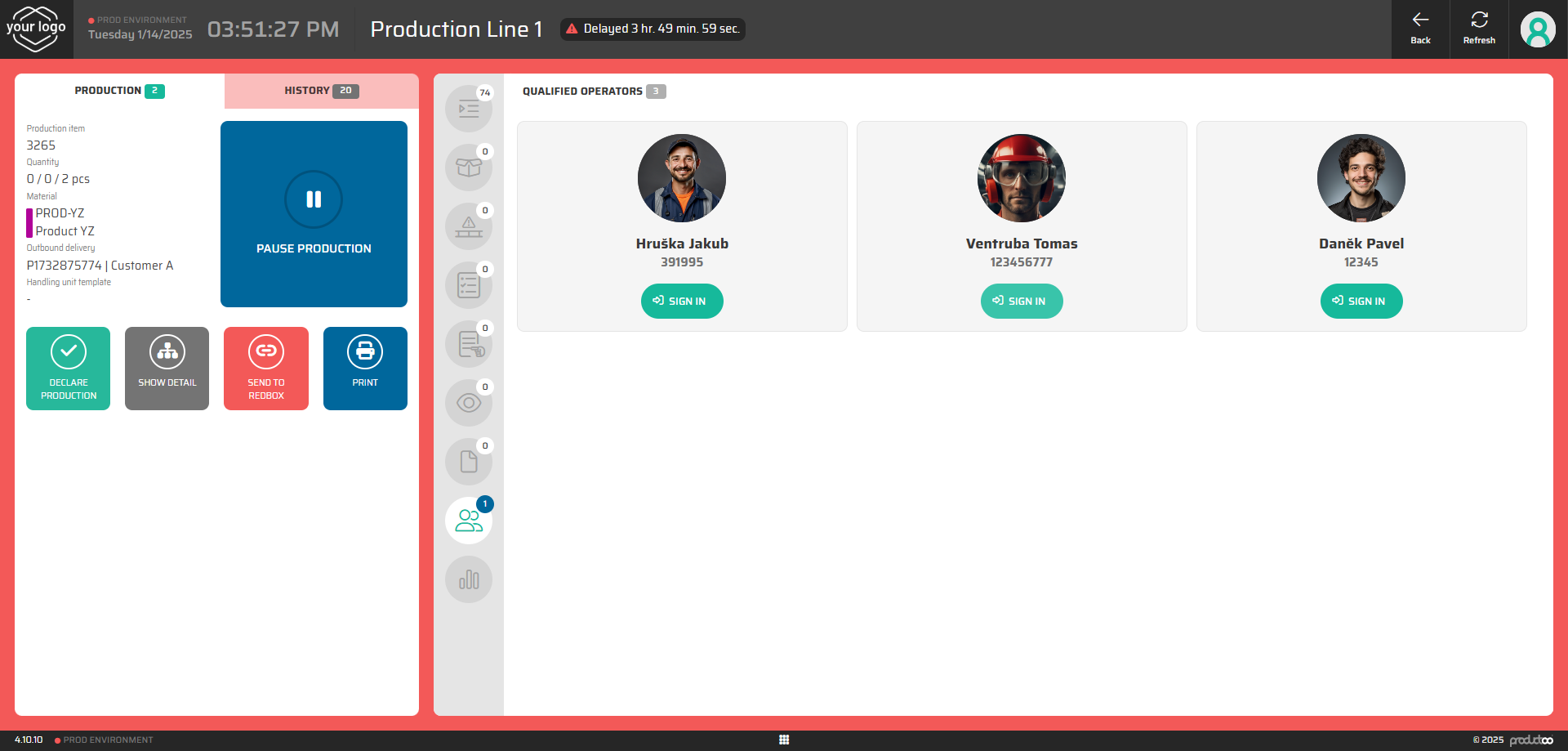
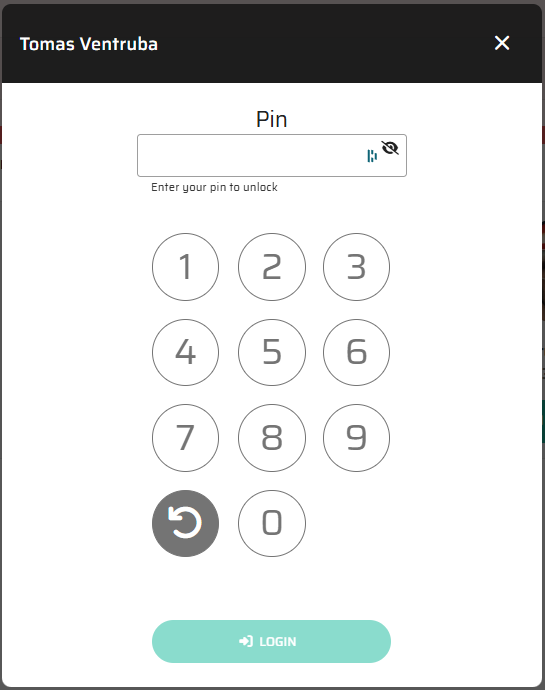
Native PIN logon for operator is available as part of the module. The operator can use the PIN provided to him by the team leader.
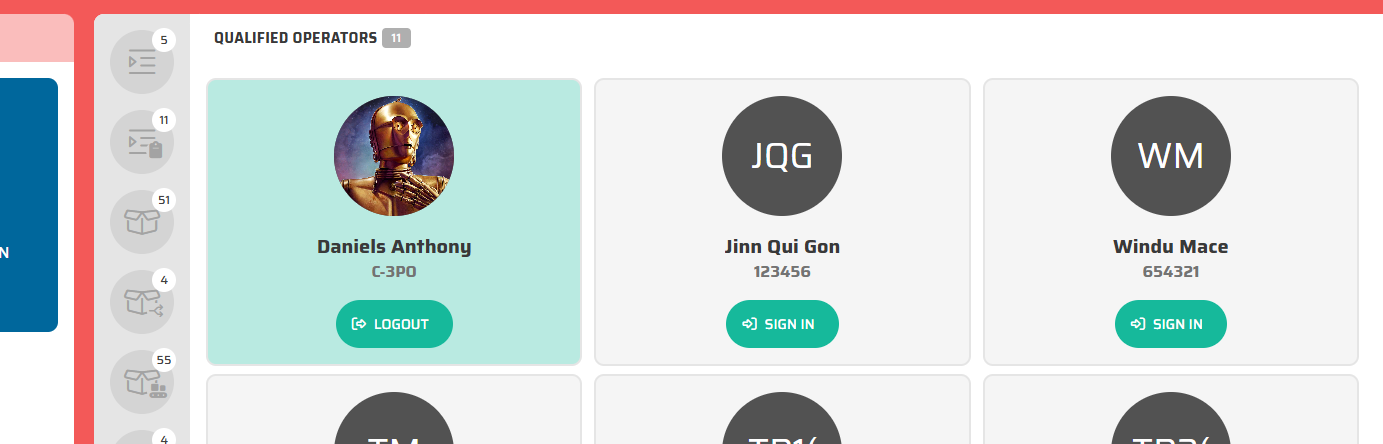
If the operator is already assigned for the shift by the team leader (or automatically by the system) the name of the operator is visible on the screen and expected to be logged in.
After the sign in, the operator is clearly distinguishable by changing the background and the button label:
Proposal:
if the operator is not qualified for the station, he will be allowed to be log in but clearly visibly marked with an alert. Later will be decided if the operator can be allowed to operate by the system on this station or not.
Proces flow - signing in
Prerequesities:
Operator is logged out
Operator has a chip (RFID) card to allow sign in
Operator uses his allocated RFID card with a reader
Reader forwards the necessary information to Productoo application
Operator is signed in automatically without using native PIN
Authorization is managed inside Productoo
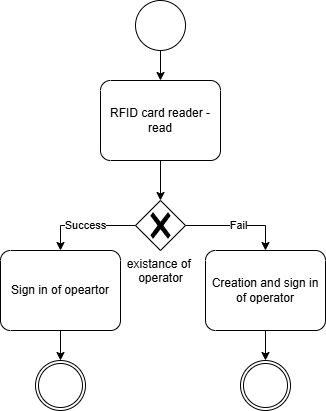
In order to log in the operator, the data from the RFID card reader must be sent from the computer to the Productoo web application in order to log in the operator to the shopfloor screen.
Based on the outcome, the operator is either signed in automatically (in the background) or created if he is not known to the system. The initial load of all known operators is highly recommeneded to enable operator planning per shifts.
Processes of signing out
Manual by using allocated RFID card
Manual by button
Automatic log out when changing work station
In case the operator forgot to log out:
Solution 1: HR system sends information abou Operator leave from the Exit gate.
Solution 2: Automated sign-out after shift end. When the shift ends and there are still some operators logged in, the system automatically start to log out each operator allowing him to either confirm or revoke the operation. This is to prevent the operators forgetting to log out from the station.
1. Manual by using allocated RFID card
Prerequesities:
Operator is signed in
Operator has a chip (RFID) card
Operator uses his allocated RFID card with a reader
Reader forwards the necessary information to Productoo aplication
Operator is signed out automatically (with an automatic popup notification that is automatically closed after a delay to provide an optional reason for logging out).
2. Manual by button
When the operator is logged in, he can natively log out by using the button with his name (ID) on operators screen.
3. Automatic log out when changing station
If the operator logs in on a different work station, we automatically sign him out from the previous logged in station.
All four options end in a notification window that allow to specify the reason code for the log out. This operation is optional and the window closes automatically after specified time.
Real-time monitoring [WIP]
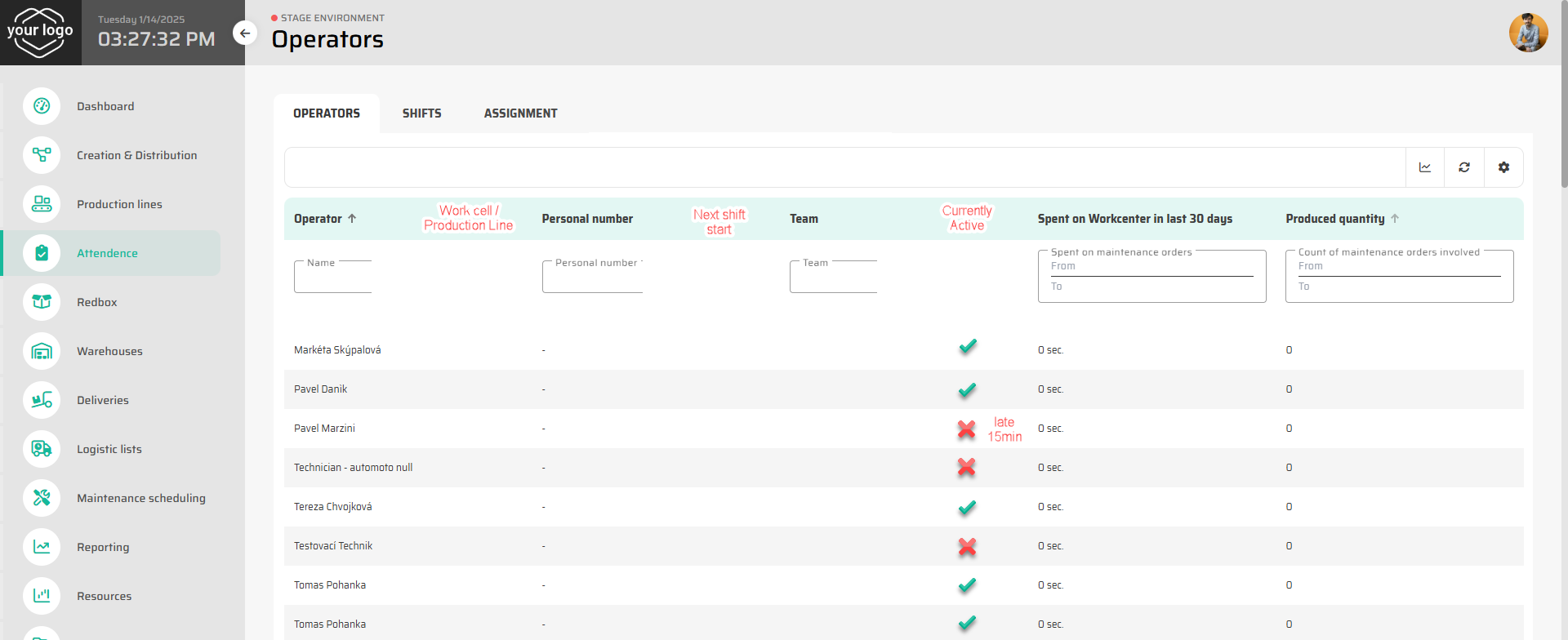
Display attendance status (present, absent, late) on a dashboard for staff.
On this screen, we can show which operator is currently active and on which station. This allows the team leader to monitor the operator presence or if the operator is running late.
Operator absence declaration [TBD]
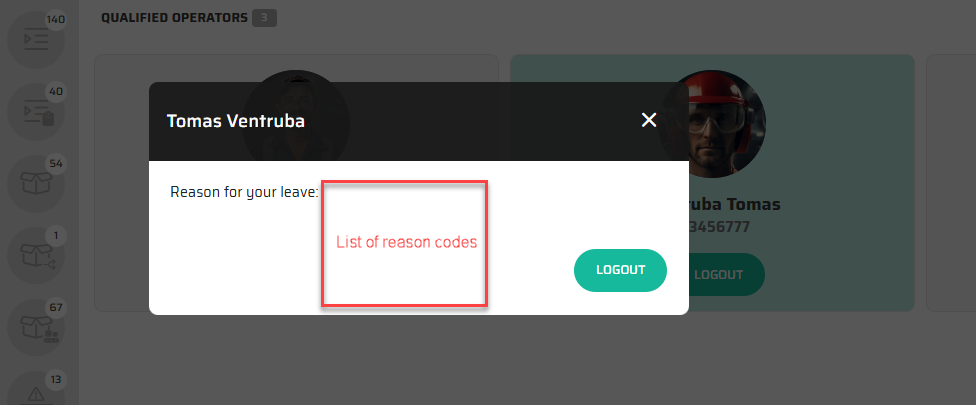
Enable operators to provide reasons for absences via dialogs.
After the log out, notification window will pop up to let the operator provide the reason for the absence. This window is automatically closed after a specified timeout e.g.: end of shift, lunch break, regular break, …
Time presence reports [TBD]
Generate detailed reports of hours worked by cost centers or organizational units.
Based on the data being gathered, customized reporting can be delivered. This can be grouped together by the work station, APU or other grouping mechanism if all the data are provided. The tracking is managed at the shift level for the work station.
Example reports of time presence and labor efficiency:
barchart - hour active on the station
produced pcs per operator hour
efficiency - ratio between actual hour logged in the workcenter and standard labor time per produced pieces.
performance comparison between shifts/days/weeks.
Flexible shift creation [Done ]
Define fixed, rotating, or customized schedules by cost-center based on demand.
Summary:
create a shift pattern
assign a shift pattern to a workstation
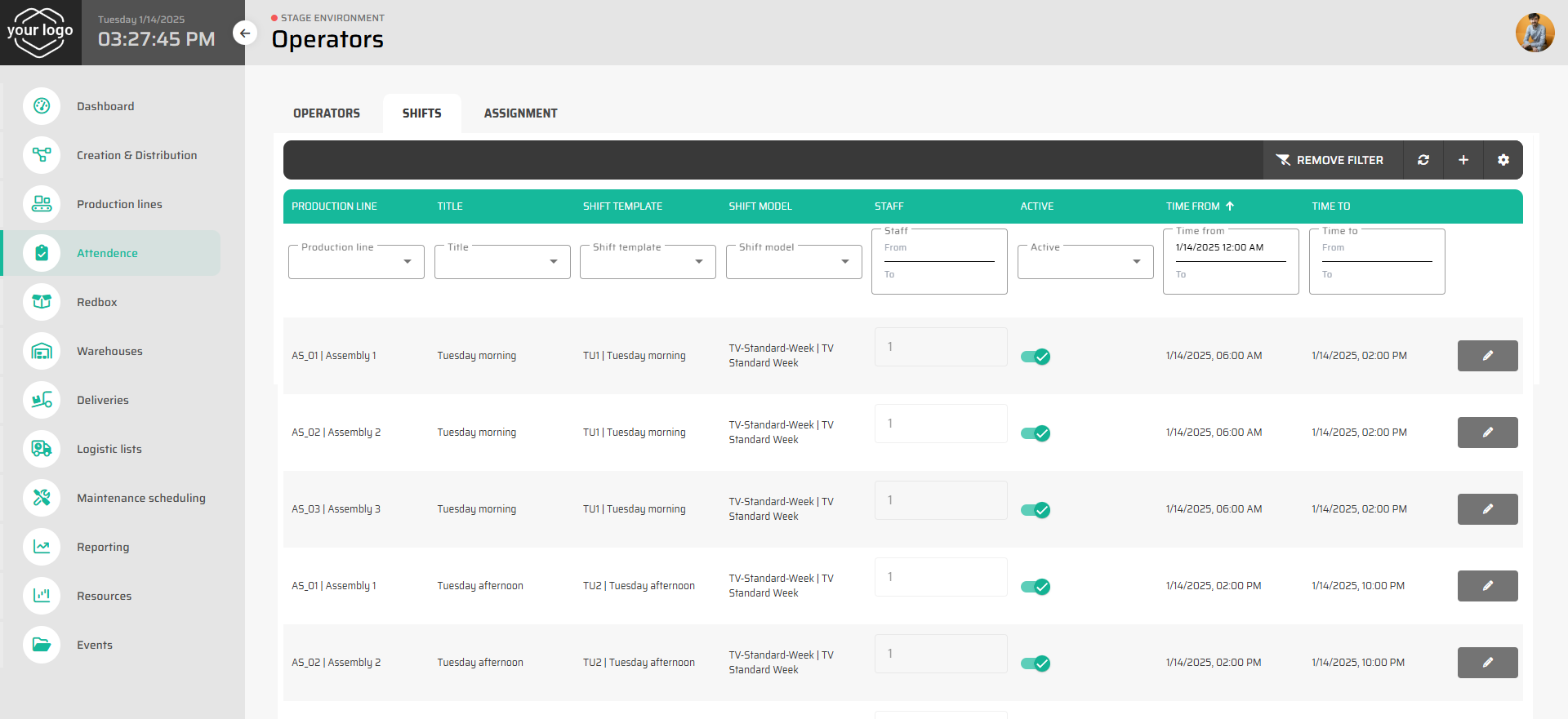
The module includes a calendar-based interface for shift planning, providing planners with intuitive tools to:
Visualize scheduled shifts in a clear, user-friendly layout, enabling swift adjustments and efficient workforce allocation.
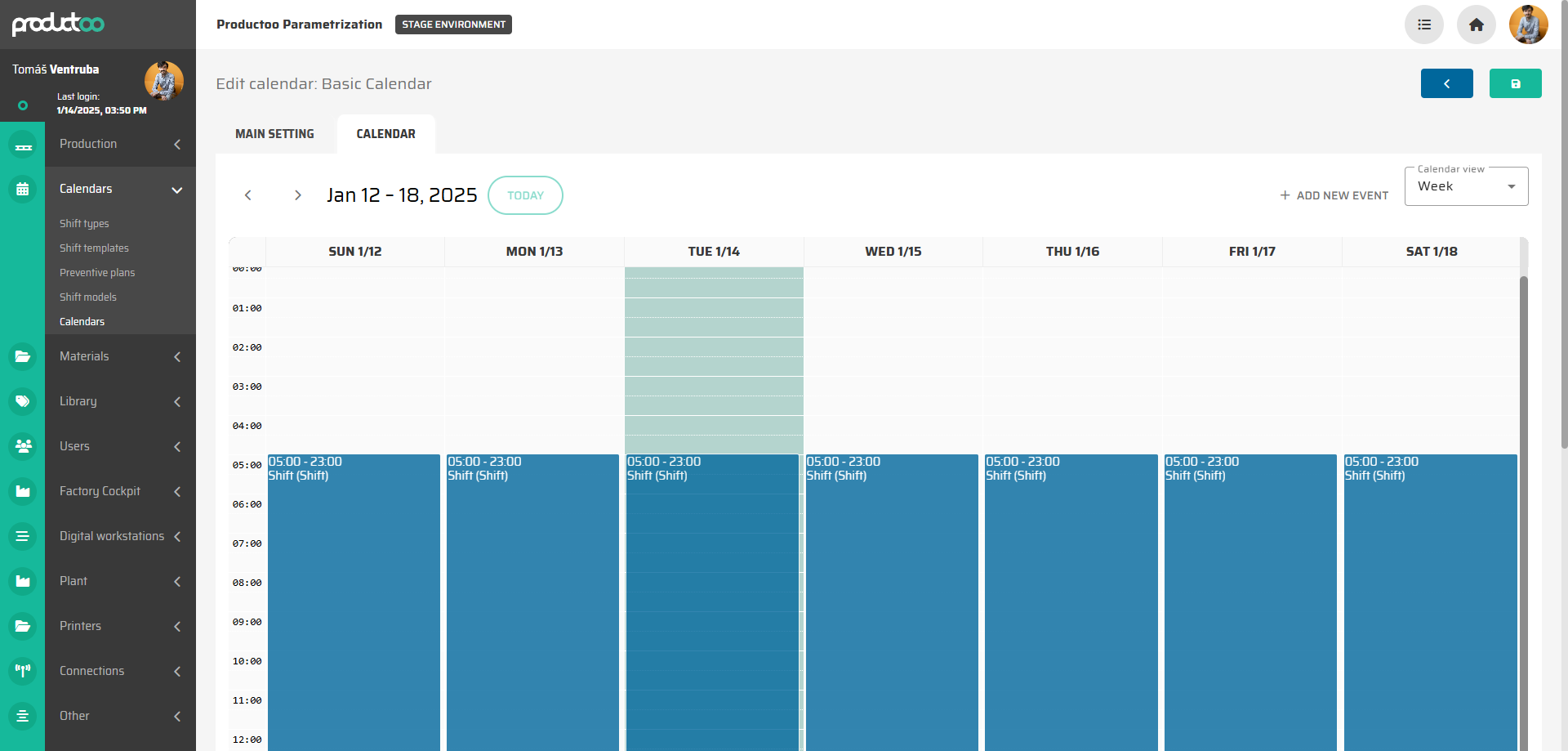
Sequence shifts on a daily, weekly, or bi-weekly basis, ensuring smooth operations with no gaps in shift coverage.
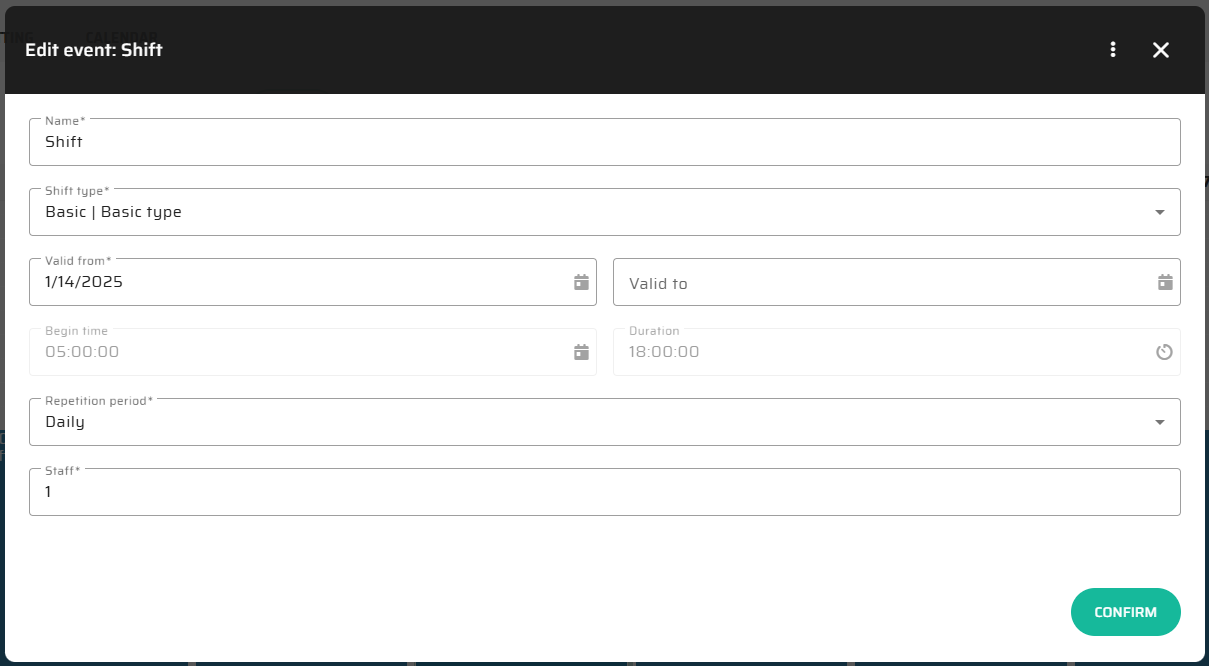
List of existing shifts:
Request portal [Done ]
Allow employees to submit vacation or leave requests directly.
From the digital workstation, operator can display his card in a dialog window to be able to manage his requests. Also in the dialog, the operator can see his log ins and log outs that were recorded by the system. If the operator is logged out, he cannot access this detail.
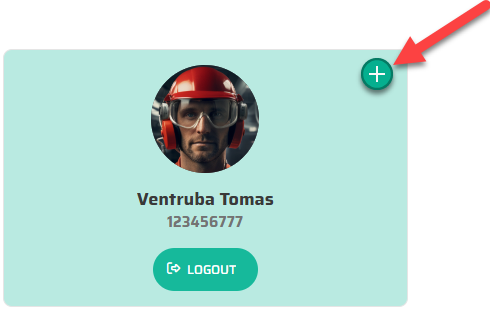
Request dialog window.
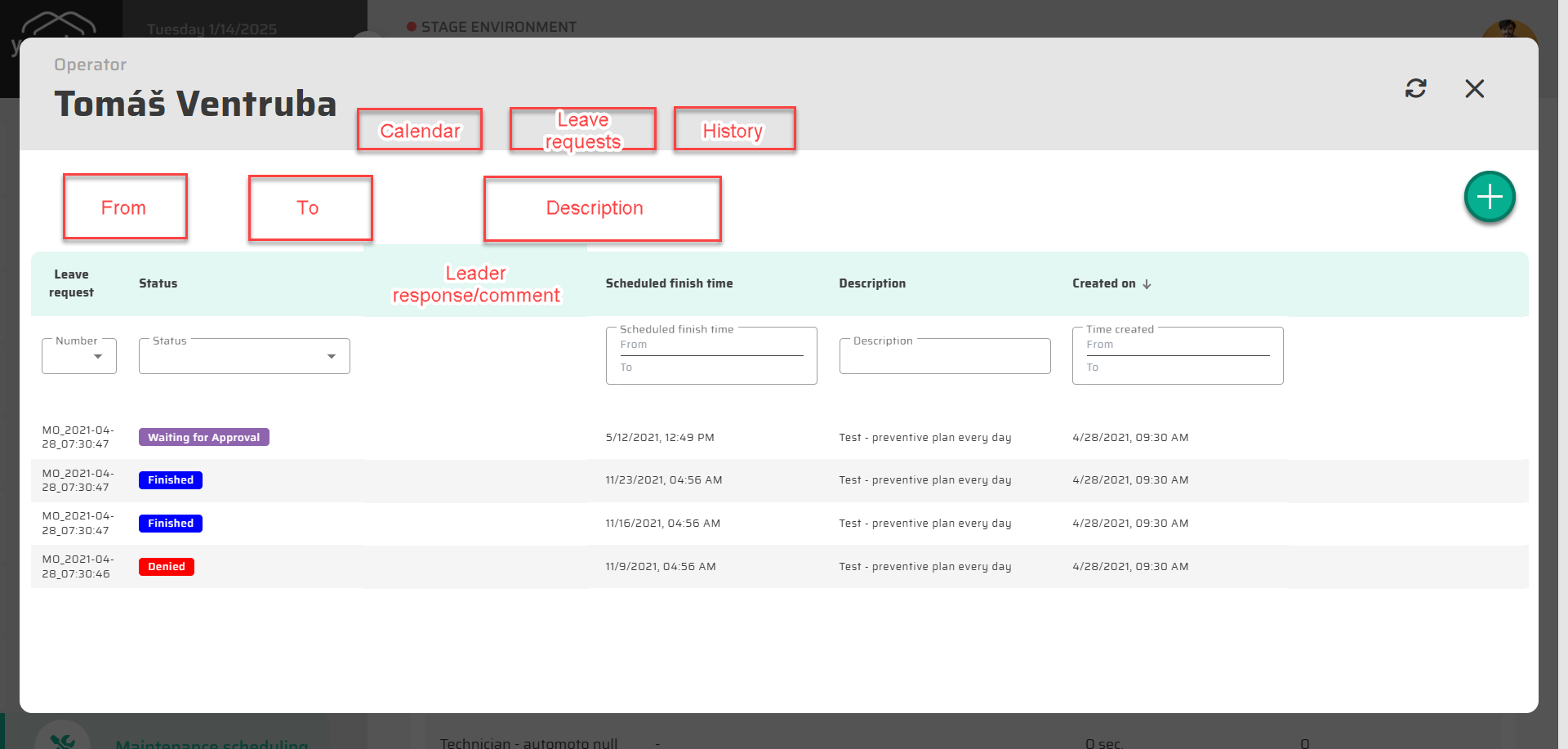
In the request portal the operator can also display his calendar and history of logins.
Approval workflow [WIP]
Supervisors can approve or deny leave requests.
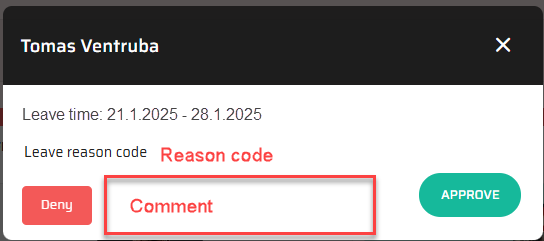
From the new module to have the ability to show detail of a operator to see his requests and allow team leader/responsible user approving or denying simple leave requests. With the possibility to show altert (count) of pending requests per operator. With history of all his requests and resolvement.
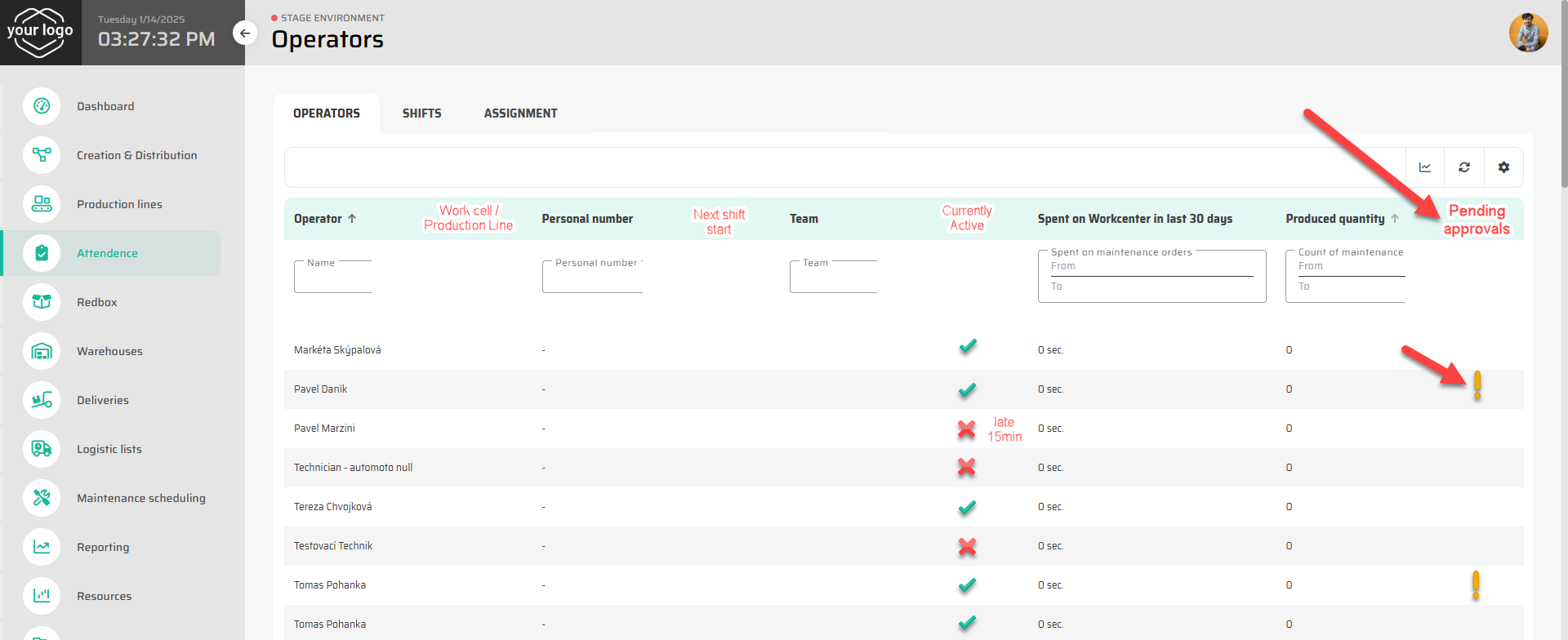
Quick request resolution with simple “Approve / Deny” options.
Traceability [WIP]
Maintain history of requests and approvals.
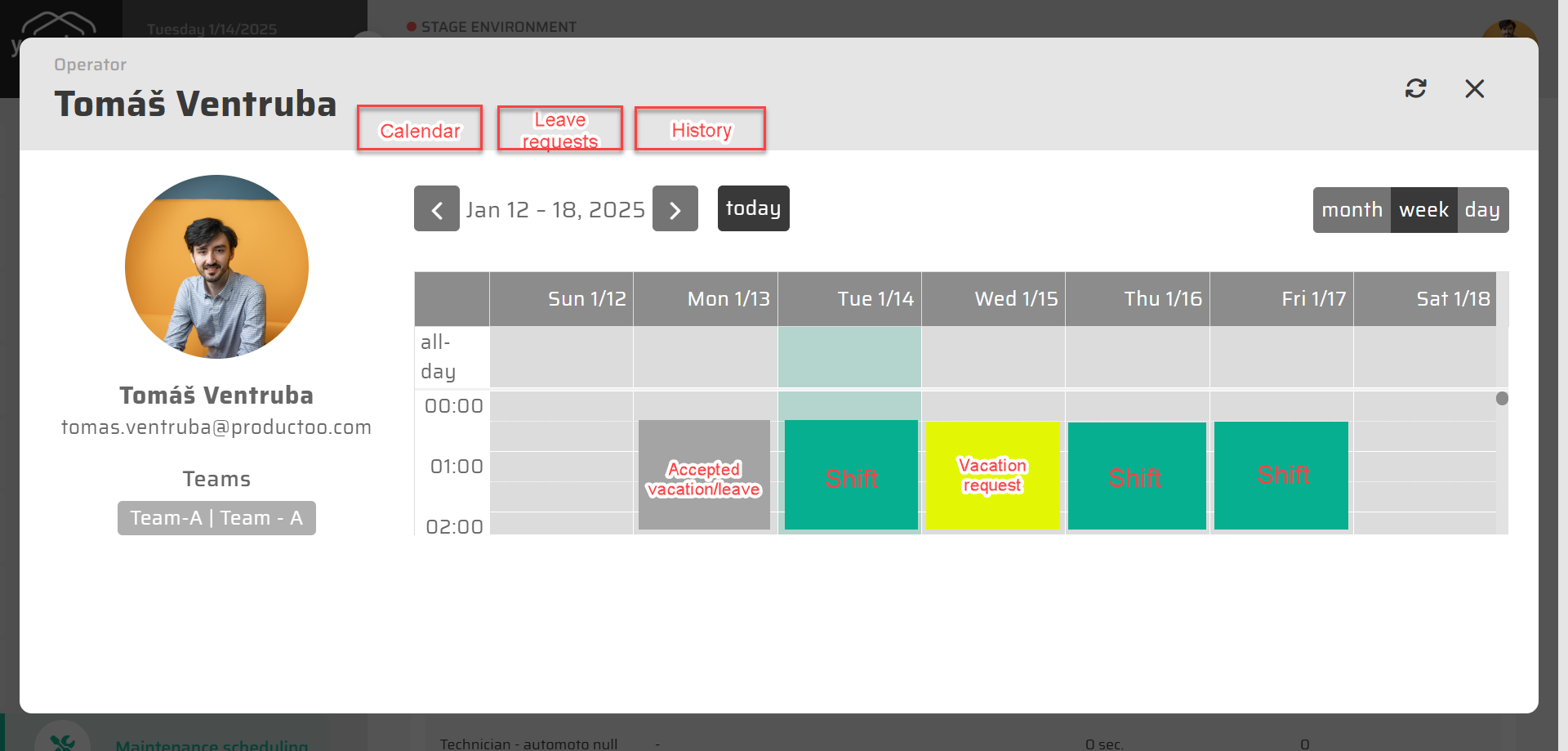
In the Operator detail view. The Team Leader can always display the detail of Operator to see work calendar with distinguished planned shifts, requested/accepted leaves.
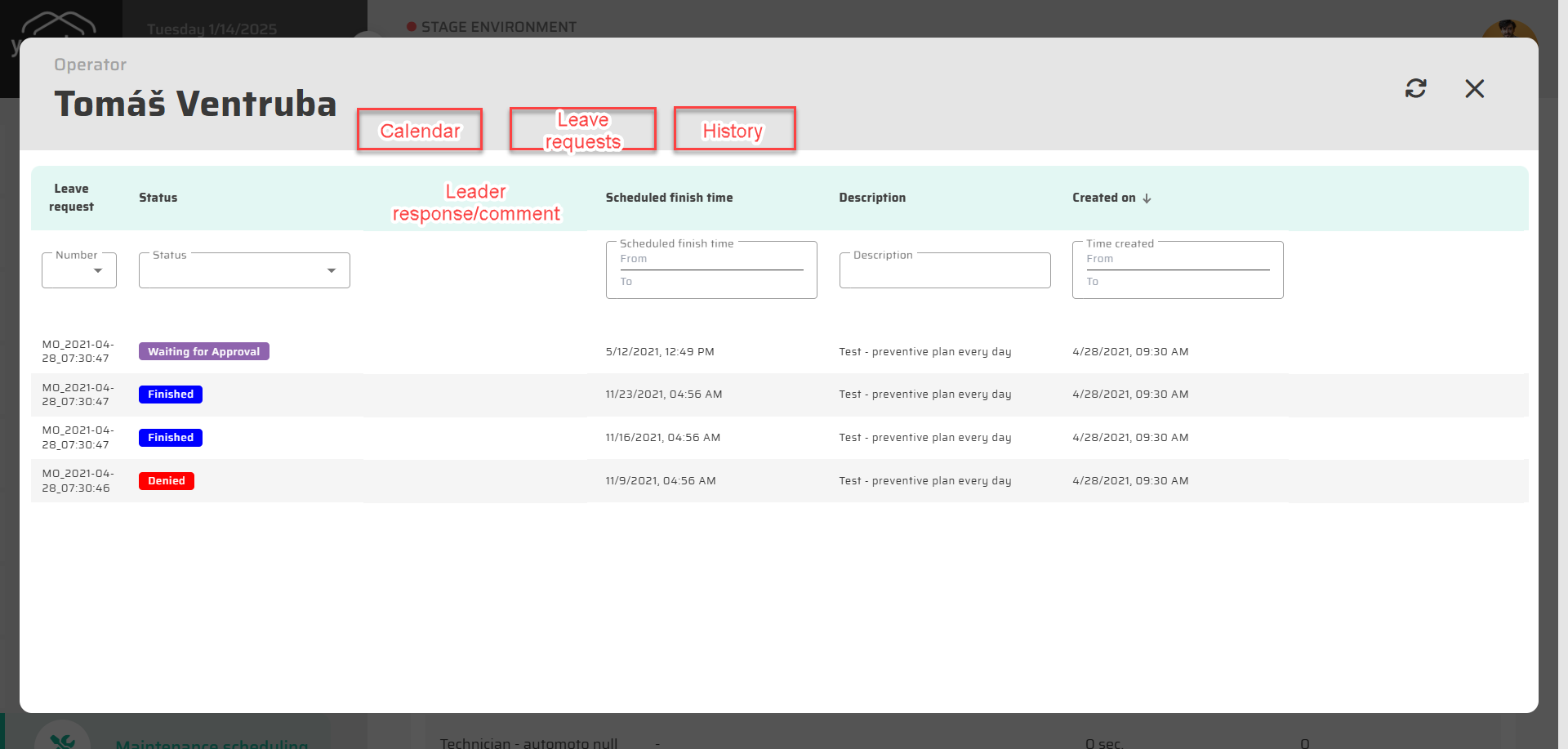
Also with simple table overview of Leave Requests:
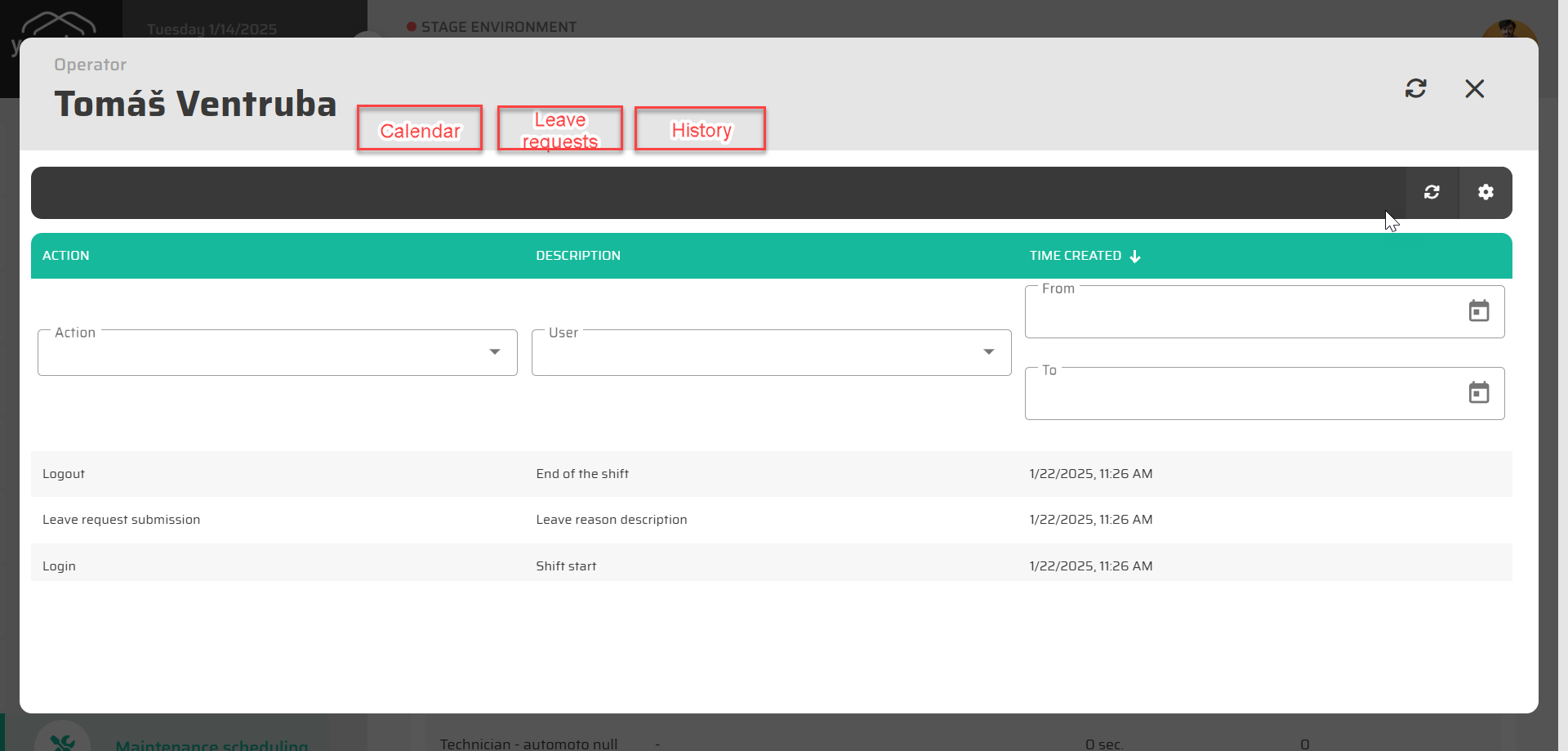
History of operator log-ins and log-outs:
Cost center assignment [TBD]
Log hours worked by employees against specific cost centers, areas, or projects.
Prerequisities:
Operator is allocated to the specific Cost Center by definition
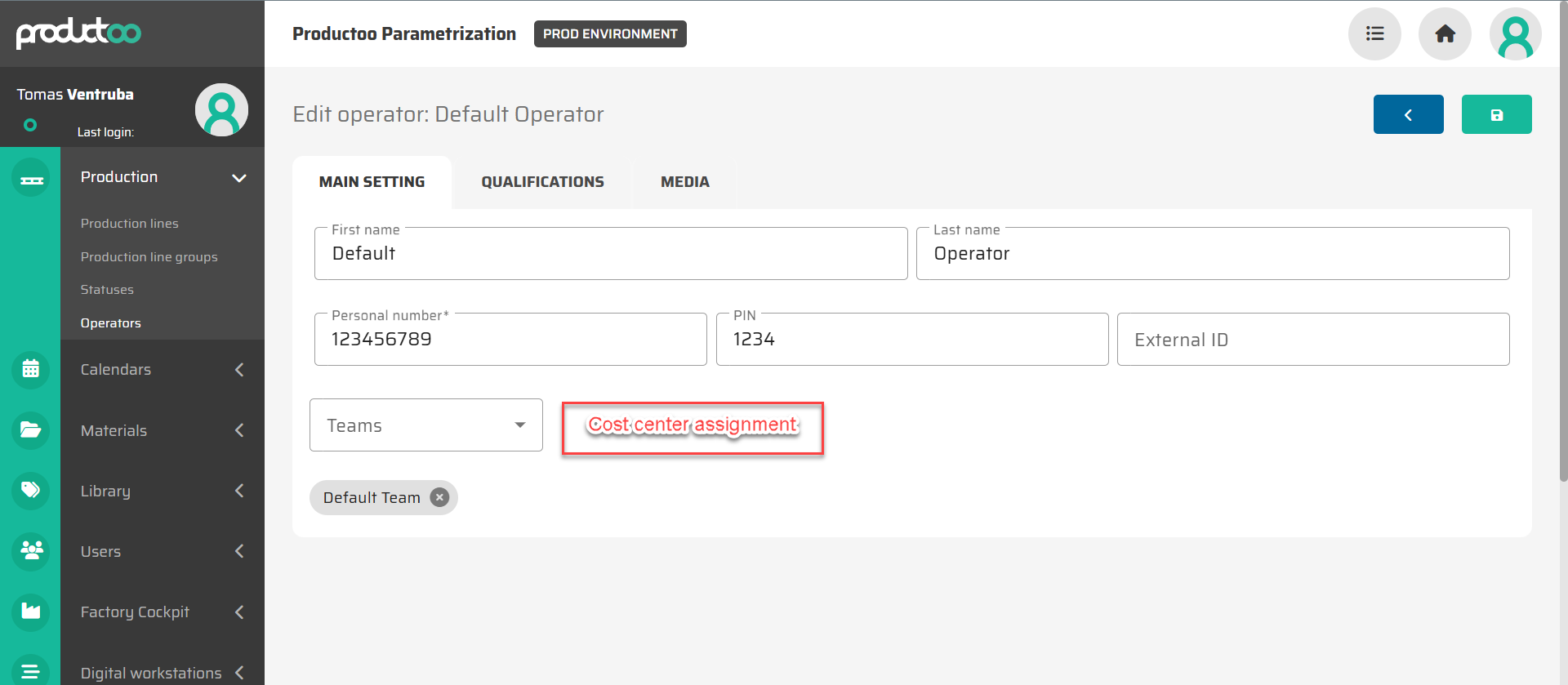
Workcenter (Production Line) is allocated to the specific Cost Center
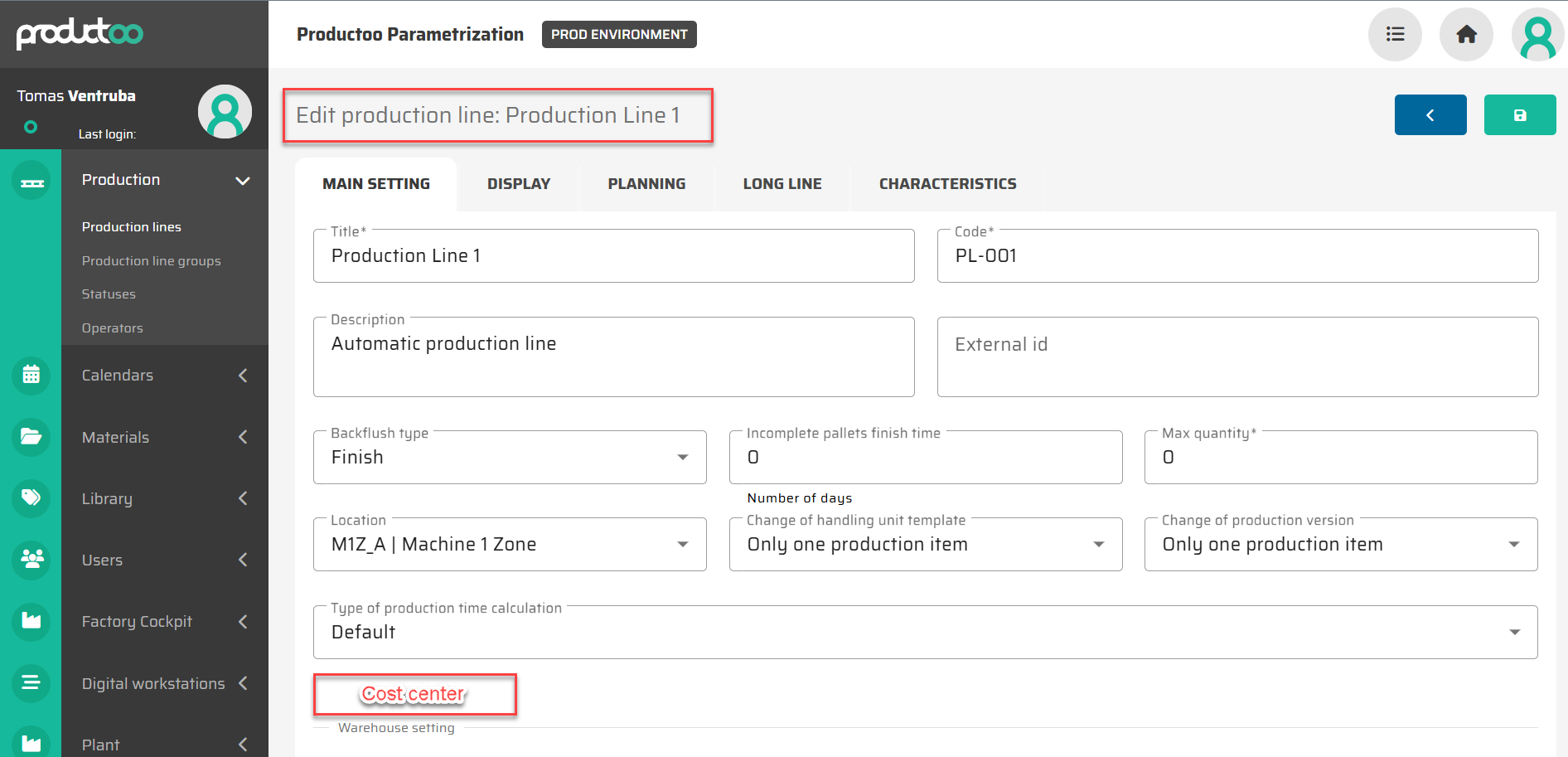
The operator is tracked next to the work station where he signed in. If more robust grouping is put to master data (production line groups = e.g. APU, project, …), the reporting can pivot over these groups alternatively.
The assignment of operator is at the shift level for the work station.
Worker transfers [WIP]
Enable real-time reassignment of workers between cells, cost centers, or organizational units.
The re-assignment will happen at the lowest level for the shift for the work station. The operator should at that moment log out and log in on a new screen.
→ define link between operator and shift / vs. production line
Report can be generated to show the amount of hour that has been transferred from one cost center to another.
Shift assignment [WIP]
Tool for assignment of operators to the specific shift and workcenter
Prerequisities
Skill Matrix definition
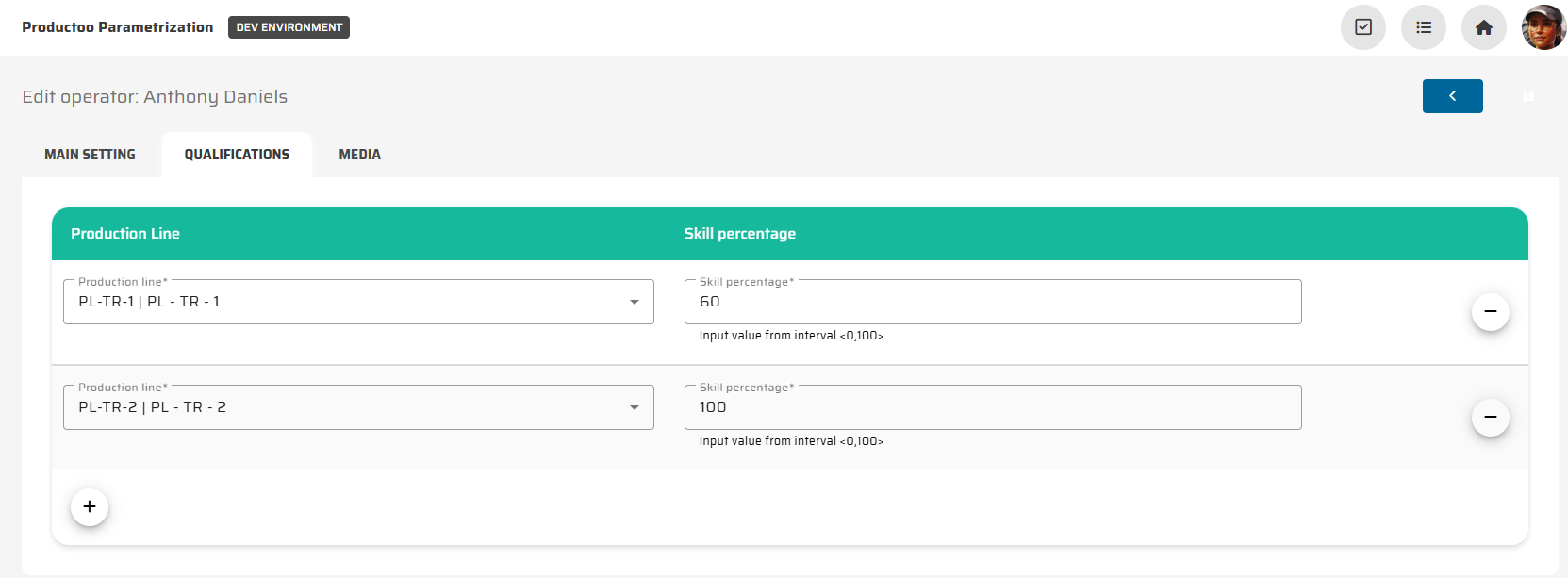
Operators team allocations:
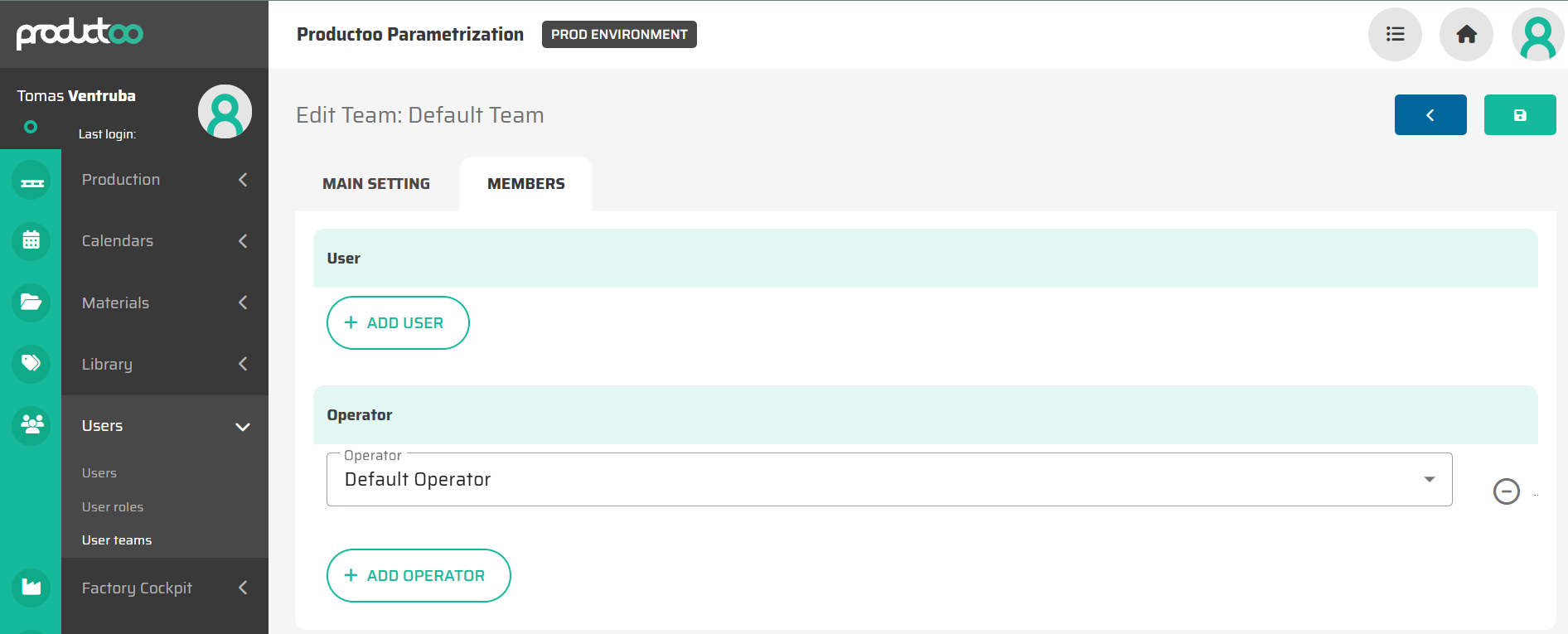
Team Leader definition:
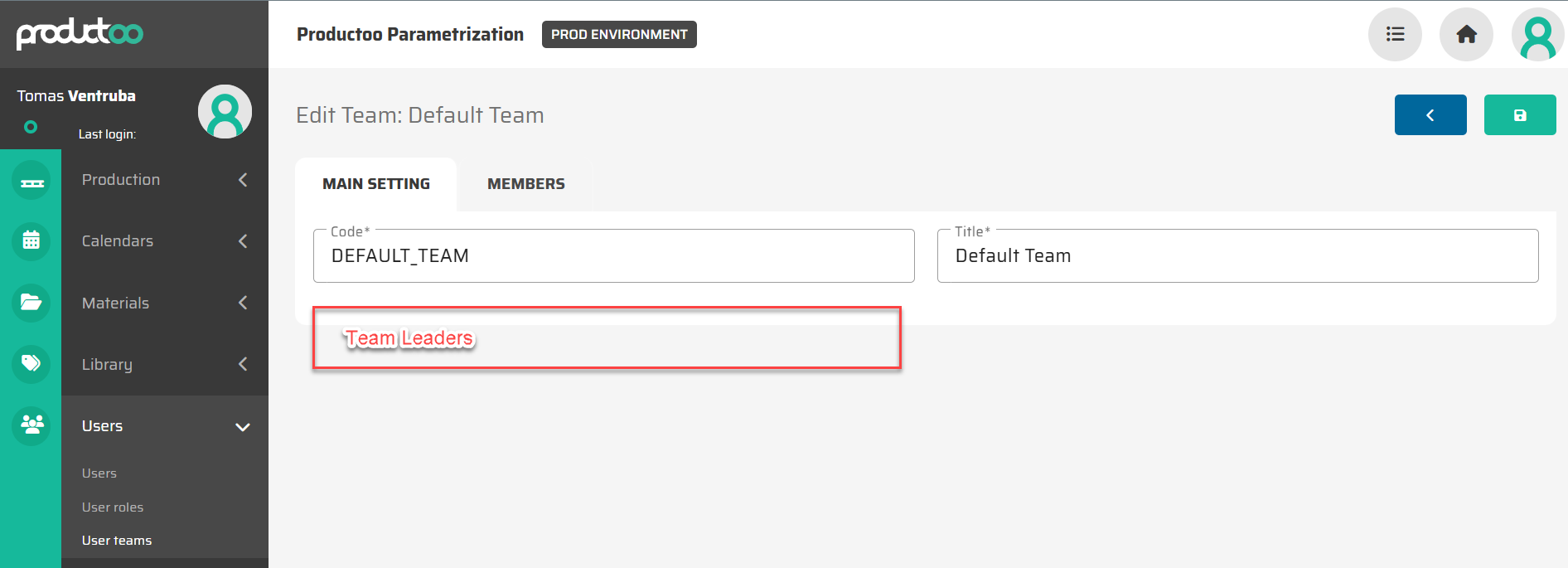
Assignment process
Optional: Only the Team Leaders have the permission to assign operators that they are responsible for to the shifts.
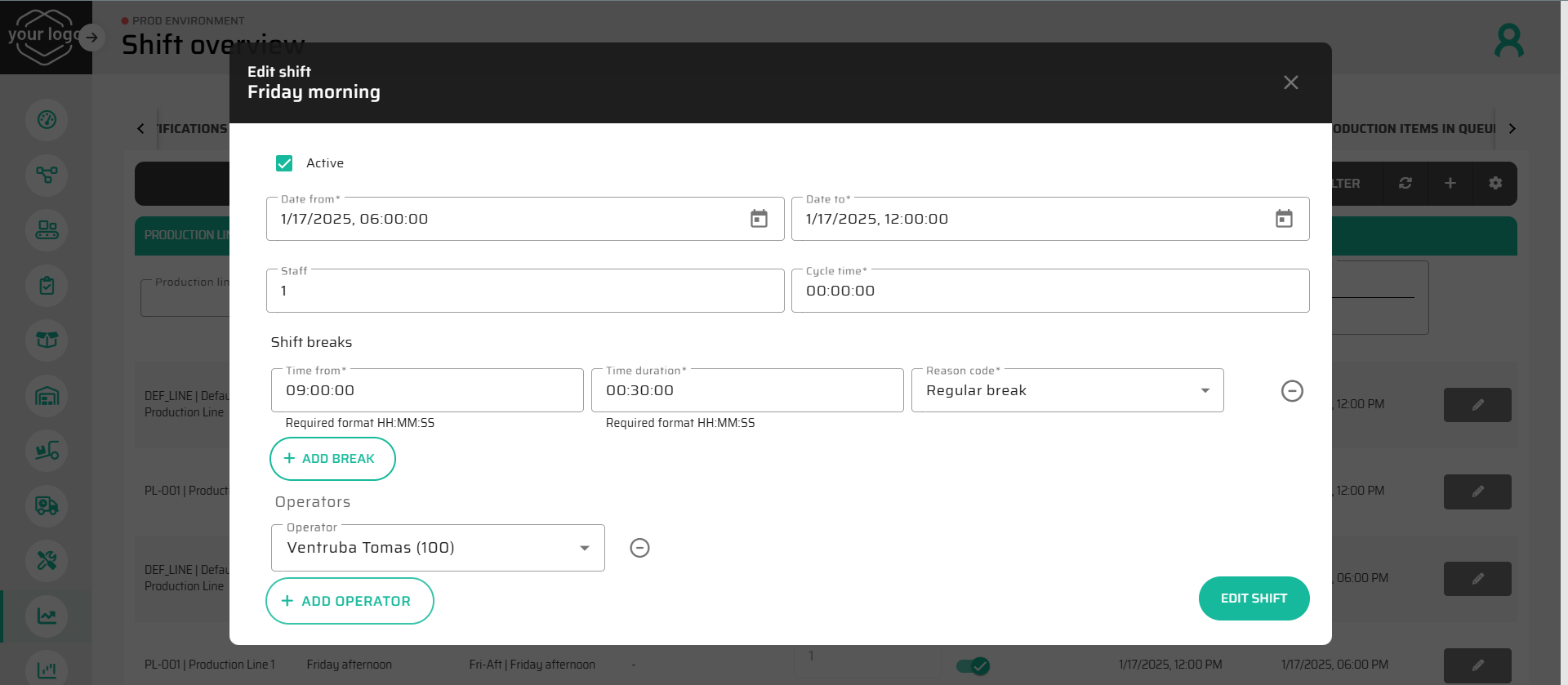
Option 1: assign an operator to the specific shift in a workstation - simple assignment in Shift Detail
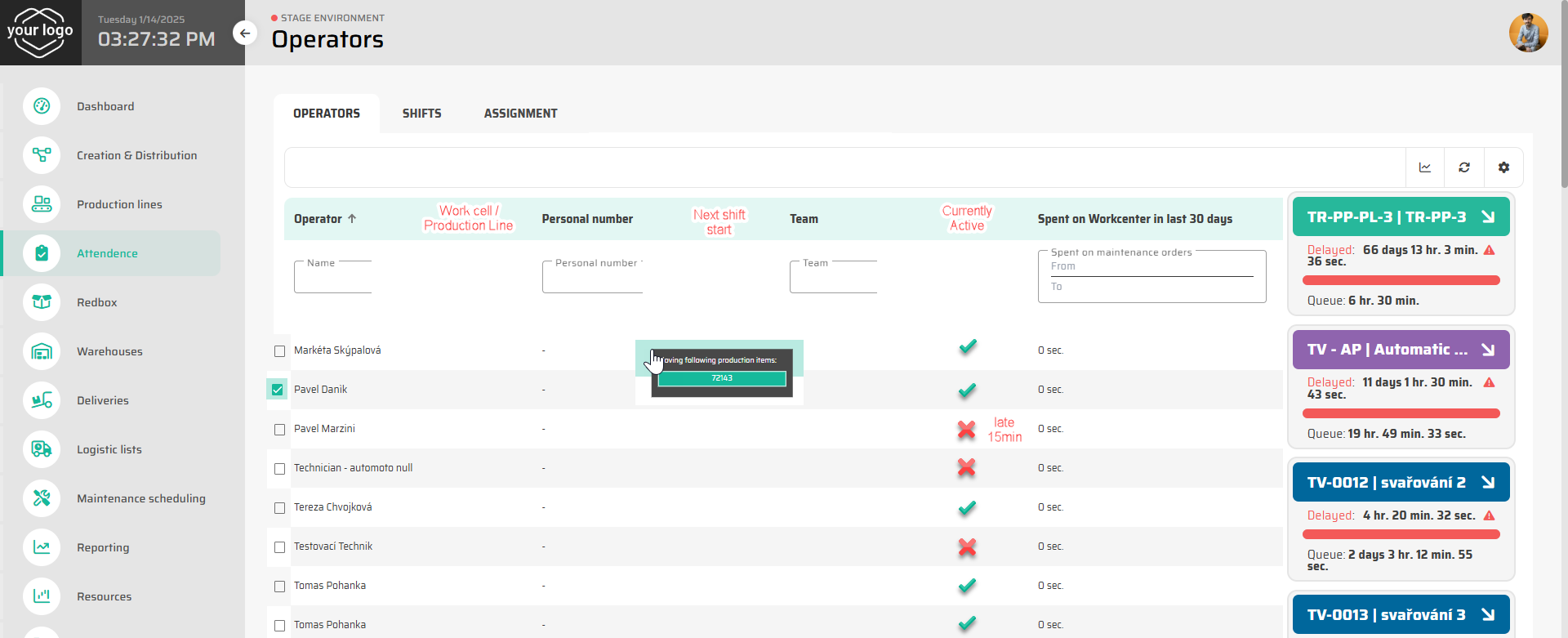
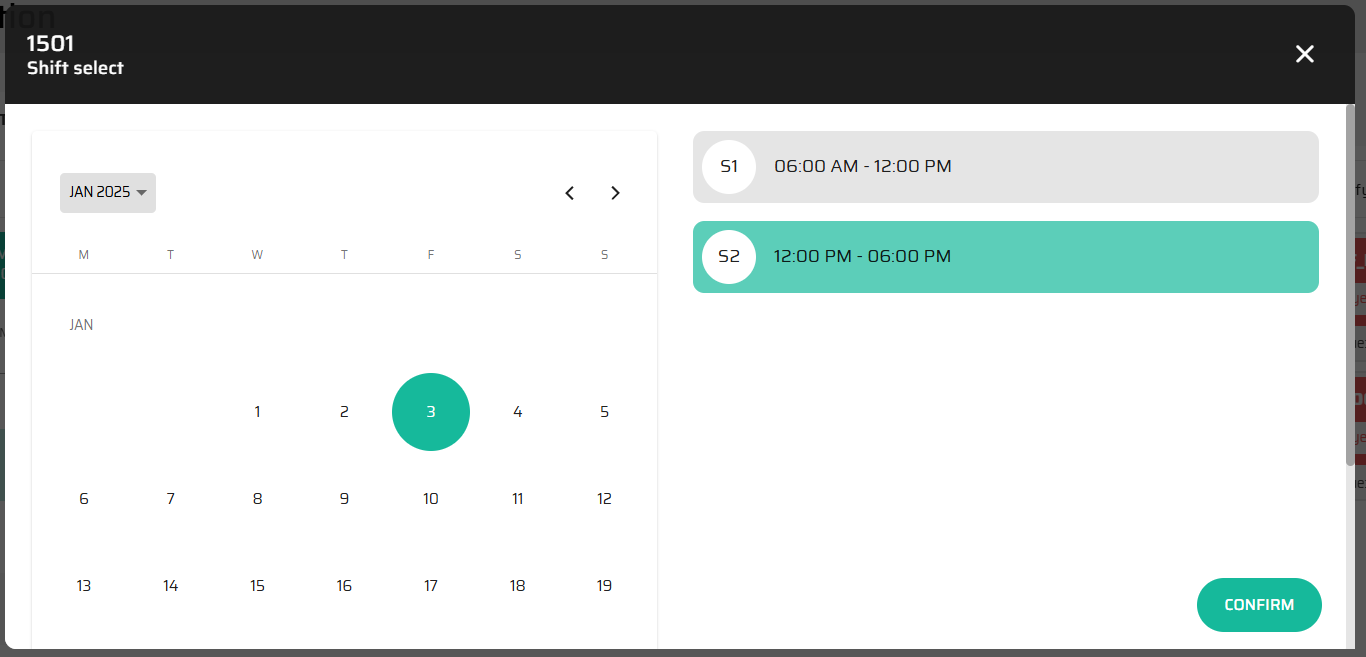
Option 2: Drag and Drop - assign a specific shift to selected operators (for a specific period of time)
Optional evolution: smart automatic assignment of the operators - system will provide best automated assignment of the operators to the shifts based on skill matrix, experience, past assignments, …
Optional evolution 2: dedicated screen near the entrance badging station (or the locker room) for operators to see their workcenter and shift assignment for the day.
Validation tools
Supervisors can approve shifts, leaves, and attendance records in real-time.
At this stage to only approve leaves by the request portal.
Shifts are pre-generated by the system based on the setup and automatically approved. Can be disabled by the planner.
Attendance records are view only as they follow the RFID reader log ins and log outs.